
OGERY Fan Stopped Working? Reset and Battery Tips
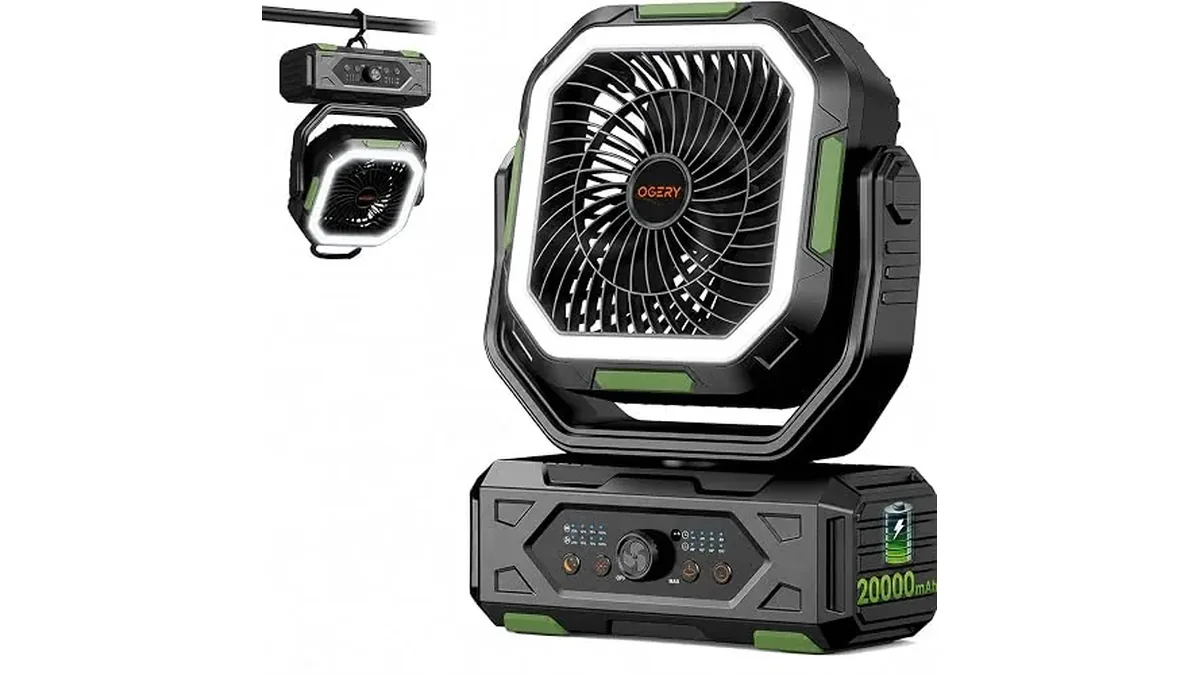
When the Camping Fan, 20000mAh will not spin, start with power and settings before you assume the motor failed. Most “dead fan” nights are an empty pack, a finished timer, a remote aimed wrong, or sleep settings that turned the indicators off so it looks lifeless.
What you are working with
OGERY’s F11 camping fan is a fan, lantern, and power bank in one 15 in (381 mm) tall ABS unit. Battery capacity is 20000mAh. Airflow reaches up to 5.0 m/s with stepless speed. Runtime claims on the product page: up to 200 hours on the lowest speed, about 17 hours on the highest, and about 14–35 hours with oscillation on. The lantern alone runs about 36–165 hours depending on brightness. USB and USB-C outputs charge small devices at up to 22.5W. The head tilts through 270° vertically and oscillates at 30°, 60°, 90°, or 120°. An infrared remote works from up to 5 m (16 ft). Timers: 1, 2, 4, or 8 hours. A wall charger is not in the box.
Ordered checks when it “stopped”
- Confirm charge. Plug in a compatible ~18W fast charger. The fan can keep running while it charges; a full refill is about 7.5 hours on that class of charger. If it sat for weeks, top it up before the next trip.
- Clear the timer. A 1–8 hour timer may have ended while you slept. Turn the fan back on from the body controls or the remote and set a fresh timer only if you still want auto-off.
- Wake sleep-friendly settings. You can switch off the indicator light and the beeper so neither keeps you awake. That also makes a running (or standby) fan look dead in a dark tent — check physical buttons and the remote, not only the LEDs.
- Re-pair your aim with the remote. Infrared needs a clear line to the receiver within about 5 m. Move closer, point at the fan, and try power and speed again. If the remote is silent, use the on-body controls to prove the fan still responds.
- Test without oscillation first. Set stepless speed to a mid breeze with oscillation off. If air returns, add 30°–120° oscillation after.
- Separate lantern vs fan. The LED lantern has three brightness levels and its own runtime window. A dark lantern does not always mean the fan motor is offline — toggle each function on its own.
- Check USB loads. If phones are pulling from the USB/USB-C outputs while the pack is already low, the fan may throttle or shut down earlier than a no-load night. Unplug accessories and retest.
- Use a known-good cable and adapter. No wall charger ships in the box. OGERY’s PD20W Fan Charging Adapter is the matching charger; any compatible ~18W fast charger can refill in about 7.5 hours per the product notes.
Soft reset habits that prevent false failures
- Top up before you leave home so the 20000mAh pack starts the trip full.
- Store the fan charged if it will sit for weeks.
- Coil the USB cable with the remote in the same pouch so camp night is not a scavenger hunt.
- Hang from the 360° rotating hook or stand on the base; keep vents clear of sleeping-bag fabric.
- Open tent vents so the fan moves cooler air instead of stirring a closed hot pocket.
When to stop troubleshooting
If the fan takes charge for a full session, buttons do nothing, and the remote still fails at close range with fresh batteries in the remote (when applicable), contact the seller or OGERY support with the model (F11) and what you already tried. Do not open the battery pack or bypass protections. This post stays on published runtime, charging, remote, timer, and sleep-setting facts — it does not add firmware menus that are not on the product page.
Fit reminder while you are testing
The F11 suits tent and car campers, festival nights, RV shelves, and power-cut rooms that also need phone top-ups. At 15 in tall it is bulkier than clip-on fans. Runtime on low is the long-weekend card; high speed with oscillation shortens the clock. For lineup context, see Personal Fans and the site’s OGERY review hub when you compare lanterns and other power products.
Quick night card
Swipe sideways to see the whole table →
| Symptom | Try first |
|---|---|
| No LEDs, no air | Charge ~7.5 h; check indicator-off mode |
| Ran then quit | Timer ended; clear and restart |
| Remote dead, body works | Aim IR within 5 m; replace remote cell if used |
| Air weak | Raise stepless speed; clear fabric from grille |
| Pack drains fast | Drop USB loads; use lower speed; shorten oscillation |
Work the table top to bottom once before you pack a spare fan. Most campsite “failures” reverse with charge, timer, and sleep-light checks.